Retail Window Display Digital Signage: The Complete Guide (2026)
Retail window display digital signage is a different problem than the screens you already run inside your stores. A window-facing display has to survive direct sun, temperature swings, and a much higher risk of tampering, while still catching the eye of someone walking past on the sidewalk. This guide walks through the hardware options, the environmental and security issues specific to glass installs, and how content strategy for passersby differs from content strategy for shoppers already inside the door.
Quick verdict
Most retailers do not need a transparent display at all. A standard high-brightness commercial display mounted just inside the window glass, with anti-glare film and a sensible mounting angle, is cheaper, easier to source, and works fine for the large majority of mid-market storefronts. Transparent OLED is worth considering for smaller, premium showcase windows with controlled lighting, such as a flagship boutique entrance. Transparent LED is the better fit if you have a large storefront glass area exposed to direct sunlight, since it is far brighter than transparent OLED even though its resolution is lower at close viewing range. Treat transparent displays as the premium end of a spectrum, not the default choice.
Who this is for
- IT or facilities managers evaluating hardware for a storefront or window display refresh
- Retail chains planning a pilot window installation before wider rollout
- Teams who already run in-store digital signage and are now looking at street-facing glass specifically
- Anyone comparing transparent OLED, transparent LED, and standard displays for a glass-facing install
- Facilities staff who need to plan power, network, and physical security for a window location, not just pick a screen
What “window display digital signage” actually means
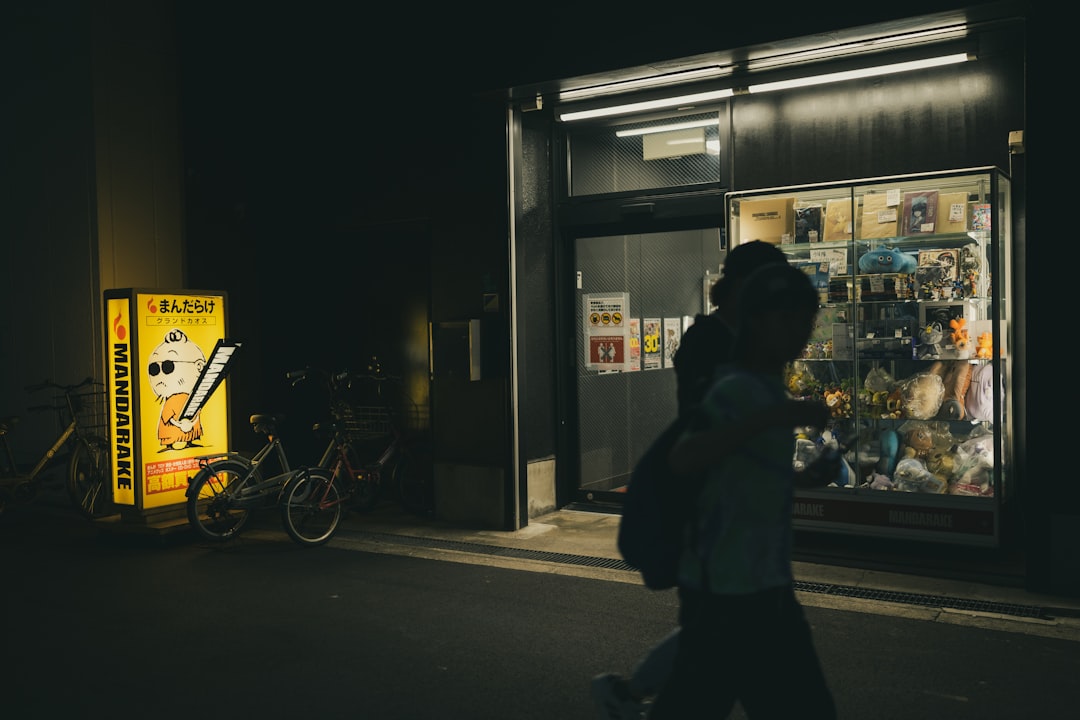
Inside a store, a display sits in a controlled environment, out of direct sun, away from the street, and usually only accessible to staff or shoppers already inside. A window display is the opposite on every count. It faces outward, it is exposed to whatever the sky is doing that day, and it is often within arm’s reach of anyone standing on the sidewalk. That changes the hardware conversation. The question is not just “what looks good” but “what survives this location and still looks good.”
There are three broad hardware paths for window-facing content: a standard commercial display placed just inside the glass, transparent LED, and transparent OLED. Each fits a different budget and a different physical situation, and none of them is universally correct.
The three hardware paths
Standard high-brightness display behind glass
This is the practical default for most retailers. A commercial-grade display, ideally a high-brightness model, is mounted just inside the window, sometimes angled slightly downward or fitted with anti-glare film to cut reflections from streetlights and daytime sun. It is not transparent, so merchandise cannot be visible through the screen itself, but it is dramatically cheaper than either transparent option, easier to source from mainstream AV vendors, and simpler to install, service, and replace. For a chain rolling out to dozens of locations, cost and serviceability usually outweigh the novelty of a see-through effect.
Transparent LED
Transparent LED panels are built into or mounted against the glass and let light and background objects pass through the gaps between LED elements. Resolution is lower at close range than transparent OLED, but transparent LED is far brighter, which makes it the more practical choice for large storefront glass areas in sunny climates or south-facing windows where ambient light is intense for much of the day. If your concern is “will anyone actually see this content at 2pm in direct sun,” transparent LED is generally the safer bet.
Transparent OLED
Transparent OLED is the current high-end trend in retail window display digital signage. Duggal Visual Solutions showcased transparent OLED technology at NRF 2026 (Retail’s Big Show), and it is increasingly used for luxury storefront window renovations. Because each OLED pixel generates its own light with no backlight required, transparent OLED delivers true blacks, strong contrast, and rich color, and the panel itself is thin enough to integrate into a glass showcase or storefront window. The effect is genuinely striking: merchandise stays visible behind the glass while dynamic digital content plays as a layered, see-through overlay on top of it.
The tradeoff is that transparent OLED can struggle with visibility in bright ambient light, which makes it better suited to smaller, more premium showcase applications with controlled lighting rather than a full storefront window baking in direct sun all afternoon. It also remains a premium, high-cost technology, with per-panel pricing varying widely by size and installer. Get quotes from an integrator for your specific glass dimensions before assuming this is in scope for a multi-store rollout.
Sun, heat, condensation and security: the issues that are unique to windows
An indoor display never has to deal with most of what a window installation faces. Plan for these before you sign off on hardware or a vendor:
- Sun exposure and heat buildup. Glass acts like a greenhouse. A display mounted close to the window can see much higher ambient temperatures behind the glass than the same unit would ever experience indoors, which matters for both the display’s operating spec and its long-term lifespan.
- Condensation risk. Temperature differences between the glass, the outside air, and the space behind the display can produce condensation on or near the screen, particularly in climates with big day-to-night temperature swings.
- Physical security and vandalism exposure. A window display is visible and often physically accessible from the street in a way an in-store screen is not. Factor in tempered or laminated glass, mounting hardware that resists tampering, and whether the display itself needs additional protection.
- Power and network cabling. Getting clean power and a reliable network drop to a storefront window can be more awkward than wiring an indoor location, especially in older retail buildings. Loop in your installer early so cabling routes are part of the plan, not an afterthought discovered on install day.
None of these issues are reasons to avoid window signage. They are reasons to involve your installer and facilities team in the site survey before you commit to a specific display technology, since the environmental profile of the window itself should influence the choice between standard, transparent LED, and transparent OLED just as much as budget does.
Content strategy: passersby versus shoppers already inside
A window display’s job is different from an in-store screen’s job. Someone walking past on the sidewalk is making a split-second decision about whether to stop, not standing in front of a screen reading a full promotion. Content for window-facing displays should lean toward short, high-contrast, brand-forward visuals with minimal text, since most viewers only get a glance of a second or two as they pass.
It is worth noting that the well-known research on digital signage lifting sales, including Nielsen on-premise research finding roughly a 32% average lift in unit sales for items promoted via digital signage, is about promotional content generally and point-of-sale influence, not specifically about window displays. Window content is doing a different job: driving foot traffic and building brand impression, not closing a sale at the register. Treat that stat as directional context for digital signage generally, not a guarantee for what a storefront window will do on its own.
For guidance on running the in-store side of your signage program, including content that does target shoppers who are already inside making purchase decisions, see our guide on how to set up digital signage for a retail store.
Where the CMS fits in
Whatever display technology you choose for the window, the actual content management, rotating seasonal promotions, dayparting so the window shows different content in the morning versus the evening, and pushing updates remotely across multiple store windows, is handled by standard digital signage CMS software, not the display hardware itself. TDM Signage is one option worth a look here: it supports drag-and-drop template design and remote scheduling, and that playlist and scheduling functionality works on any qualifying display, whether that’s a standard commercial screen, transparent LED, or transparent OLED. The CMS decision and the hardware decision are largely separate, which is useful to know if you are trying to standardize software across a chain that will end up using more than one display technology across different store formats.
Comparing the display technology options
| Technology | Best fit | Brightness in direct sun | Relative cost | Key tradeoff |
|---|---|---|---|---|
| Standard high-brightness display behind glass | Most mid-market retail storefronts | Good with anti-glare film and correct placement | Lowest | Not transparent, merchandise not visible through the screen |
| Transparent LED | Large storefront glass, sunny or south-facing windows | Strong, built for brightness | High | Lower resolution than OLED at close viewing range |
| Transparent OLED | Smaller premium showcase windows, controlled lighting | Weaker, can struggle in bright ambient light | Highest, varies by panel size and installer | Premium cost, best suited to boutique or luxury flagship applications |
Bottom line
Start with the environment, not the technology. If your storefront glass gets heavy direct sun for most of the day, prioritize brightness, which points toward either a standard display with anti-glare film or transparent LED over transparent OLED. If you are outfitting a smaller, controlled-lighting showcase window at a flagship or luxury location, transparent OLED delivers a genuinely different visual effect and is worth the premium. For everything in between, a standard high-brightness display mounted just inside the glass remains the cheapest, easiest to service, and most common approach, and it is a perfectly reasonable default for most retailers. Whichever hardware you choose, plan for sun, heat, condensation, and physical security separately, since those are the parts of a window install that catch teams off guard after the display itself has already been selected.
For the broader hardware and software decisions behind any retail signage deployment, see our digital signage buyer’s guide, and if you are rolling this out across more than one location, our guide to digital signage for retail chains covers the multi-site management side in detail.