Yodeck Review 2026: Is the Free Plan Actually Good?
This Yodeck review answers the question that comes up in almost every budget-conscious digital signage evaluation: is the free plan actually useful, or is it a loss-leader that forces you to upgrade immediately? The short answer is that Yodeck’s free tier is genuinely functional, and the paid tiers are among the most competitive in the market. Here’s the full picture.
Quick verdict
Yodeck is one of the best value digital signage platforms in 2026, particularly for organisations already running or willing to run Raspberry Pi hardware. The free plan (1 screen, all core features) is genuinely usable rather than artificially crippled. The paid tiers at $8–15/screen/month are among the most affordable in the market for their feature depth. The main limitations are that it’s Pi-centric in its hardware model and the Microsoft 365 integration depth requires Premium tier.
Who this is for
- IT managers evaluating affordable cloud-managed digital signage for 1–100 screens
- Organisations with existing Raspberry Pi infrastructure or a willingness to use it
- Teams comparing Yodeck against OptiSigns, TDM Signage, or ScreenCloud on price and features
Pricing
| Plan | Price | Key additions |
|---|---|---|
| Free | $0/month | 1 screen, all core features, no credit card |
| Basic | $8/screen/month | Unlimited screens, full feature access |
| Premium | $11/screen/month | Microsoft 365 depth: Teams, SharePoint folder sync, Power BI, Viva Engage, Grafana, Tableau, BambooHR |
| Enterprise | $15/screen/month | Multi-account management, dedicated support |
Annual billing includes a free pre-configured Raspberry Pi player per screen (worth approximately $119/unit), making the annual plan considerably better value than the monthly rate suggests for new deployments.
The free plan: what you actually get
Yodeck’s free tier covers one screen with the full core feature set: image/video/web content, playlists, scheduling, and the cloud management dashboard. There is no time limit and no artificial feature restriction beyond the single-screen limit. This makes it genuinely useful for:
- Piloting before committing to a paid deployment
- Single-screen use cases: reception welcome display, break room TV, entrance notice board
- Testing hardware compatibility and content workflows before rolling out at scale
The limitation is honest: one screen. If you need two, you need a paid plan. There’s no “3 free screens with logo” compromise like some competitors, just a clean one-screen free tier.
Hardware: the Raspberry Pi model
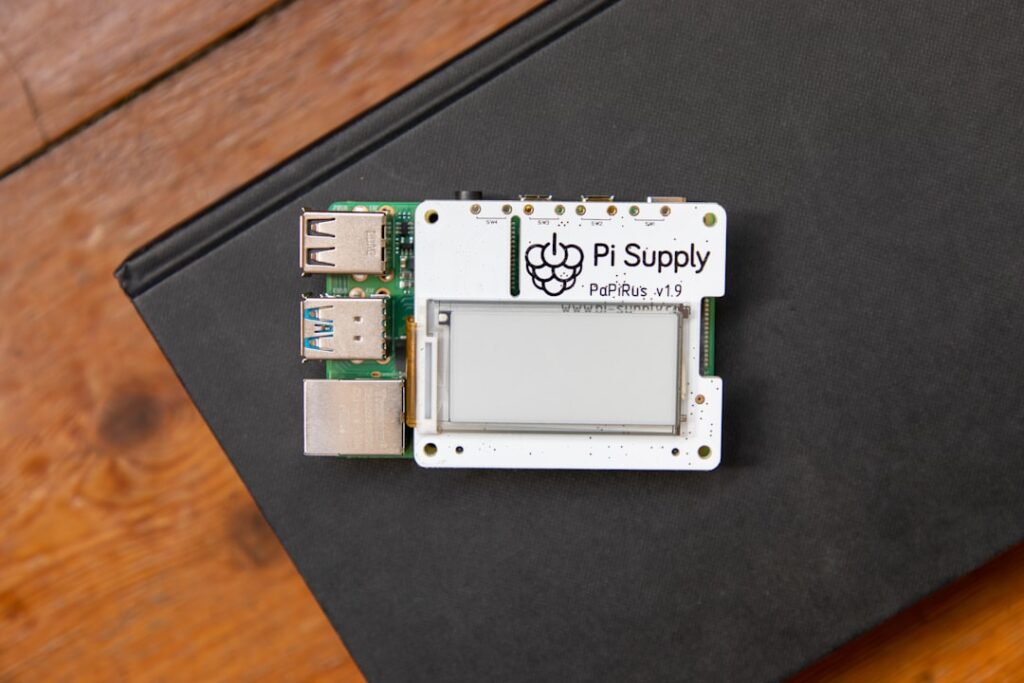
Yodeck is more closely tied to Raspberry Pi than any other major cloud signage platform. It provides a purpose-built Pi OS image that you flash to an SD card; the player boots and auto-registers with your Yodeck account. Setup typically takes under 20 minutes per player.
The annual plan’s free player (a pre-configured Pi) is a significant value-add. For a 10-screen annual deployment at $11/screen/month ($1,320/year), you receive 10 Pi players worth ~$1,190, effectively making the first year’s software cost close to neutral for hardware-only deployments.
Yodeck also supports Amazon Fire TV Stick and Samsung/LG Smart TVs (native app on compatible models), useful for deployments where some screens already have Smart TV capability. For the broadest hardware compatibility, OptiSigns covers more device types; for Pi-native simplicity, Yodeck is the strongest option.
Content and design tools
Yodeck’s content designer covers the standard bases: images, videos, web pages, playlists, and a layout editor for multi-zone screens. The template library is functional but not design-award-winning, professional enough for internal communications, but organisations that care about premium visual quality will want to bring in their own designed assets.
Standout content integrations (Premium tier):
- SharePoint folder sync (added March 2026), content published to a SharePoint folder automatically appears on designated screens
- Power BI live dashboards, embed Power BI reports directly on signage screens
- Viva Engage / Yammer feeds, internal social posts displayed on screens
- Grafana and Tableau, live data dashboards for operations and IT teams
For organisations running Microsoft 365, the Premium tier’s integration depth is a genuine differentiator. It’s better integrated with M365 than most competitors at this price point, TDM Signage has similar or deeper M365 native integration but at a slightly higher base price per screen.
Scheduling and management
Scheduling is playlist-based with time-of-day and day-of-week rules. Screen grouping allows bulk content pushes and schedule changes. The management dashboard gives status visibility across all screens with online/offline indicators and screenshot previews. Alert notifications for offline screens are available on paid plans.
For deployments of 5–100 screens, the management experience is smooth. Above 100 screens, the Enterprise tier’s multi-account management becomes relevant for organisations with decentralised content management.
Compared to the main alternatives
| Platform | Free tier | Entry paid | M365 depth | Hardware model |
|---|---|---|---|---|
| Yodeck | 1 screen (full features) | $8/screen/month | Premium ($11) required | Pi-native + Amazon Fire |
| OptiSigns | 3 screens (logo shown) | $10/screen/month | Pro Plus ($15) required | Broadest (Fire, Android, Chrome, Pi, Windows) |
| TDM Signage | 30-day trial | €14/screen/month | Native on all plans | Android (Essential), Windows (Small Business+) |
| ScreenCloud | No | $20/screen/month | Good (all plans) | Chrome, Windows, Android, Samsung |
| Xibo Cloud | No (self-hosted free) | $4.90/screen/month | Via API/integration | Windows, Android, Linux, webOS, Tizen |
Strengths
- Genuinely useful free tier, one screen with full features, no time limit
- Best-in-class Pi hardware integration, free player on annual plans
- Competitive pricing with a clean tier structure
- Strong Microsoft 365 depth on Premium (SharePoint, Power BI, Teams, Viva Engage)
- Fast deployment, Pi image flash to live screen in under 30 minutes
Weaknesses
- Pi-centric hardware model limits flexibility for non-Pi deployments
- Template library quality is good, not great, design-conscious organisations will import their own
- M365 integration requires upgrading to Premium; Basic tier misses Teams and SharePoint
- Less strong in European markets vs Yodeck’s US/global focus (no EU-specific data residency documentation)
- Interactive kiosk mode not natively supported at any tier
Bottom line
Yodeck earns its position as a top choice for budget-conscious or Raspberry Pi-oriented digital signage deployments. The free plan is honest, the paid pricing is competitive, and the M365 integration at Premium tier is genuinely strong. For European organisations prioritising local hosting and support, TDM Signage is the closer comparison; for broader hardware flexibility, OptiSigns covers more device types. For a full market view, see our best digital signage software comparison.