POS Integration for Digital Signage: How to Sync Menus, Prices and Promotions (2026)
POS integration for digital signage connects your point-of-sale system to your screens, so that prices, menu items, availability and promotions on the screens always match what the till charges. Without it, every price change means someone editing the POS and then the signage separately, and sooner or later a screen shows a price the register doesn’t honour.
This guide covers the general picture across POS systems: what a real integration should do, the four ways it is usually built, how to evaluate vendors, and what IT needs to arrange. It applies to restaurants and quick-service chains, cafés and hotel outlets, and retail stores that drive promotions from their POS or product data. If you run Toast specifically, our Toast POS integration guide names the signage platforms that support it.
Quick verdict
If menu or price changes happen more than a few times a month, or you run more than one location, a real POS integration pays for itself in saved hours and avoided pricing errors. Shortlist signage platforms with a native connector for your exact POS, and test it with a live price change before you sign. If no platform supports your POS natively, a menu management layer or a spreadsheet fed by POS exports is a workable middle ground. Avoid anything sold as an “integration” that is really a manual CSV import.
Who this is for
- IT and operations managers responsible for menu boards across one or more restaurants or outlets
- Franchise and multi-site operators who need one source of truth for prices
- Retail teams that want screens to show live prices, stock-driven offers or promotions from the POS
- Anyone renewing a signage contract and checking POS compatibility first
What a POS integration should actually do
Before you compare vendors, write down what you need synced. A genuine integration covers most of these automatically:
- Item names and descriptions, including modifiers and sizes
- Prices, including combos, size variations and location-specific pricing
- Menu structure and categories, so new items land in the right place on screen
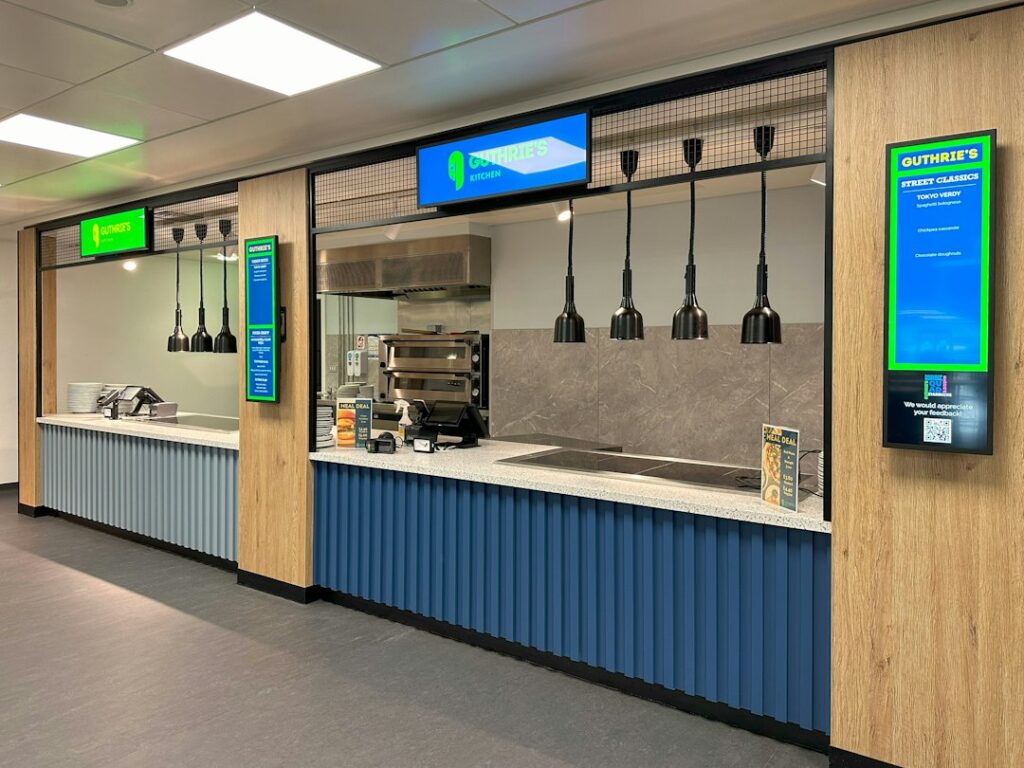
- Availability, so items that are sold out (86’d) disappear or are marked within minutes
- Multi-location sync, with per-location prices and menus from one account
- Daypart menus, breakfast, lunch and dinner switching on schedule
- Promotions, ideally triggered by POS data such as time of day, stock levels or sales targets
Some platforms also show order status from the POS or kitchen system on an “order ready” screen. That is a separate use case worth asking about if you run counter service.
Four ways POS and signage get connected
| Method | How it works | Update speed | Effort | Best for |
|---|---|---|---|---|
| Native connector | The signage platform links to the POS account through the POS vendor’s API | Near real time | Low once set up | Restaurants on a POS the signage vendor supports |
| Menu management layer | A menu platform reads from the POS and publishes to screens, online ordering and apps | Near real time | Medium | Chains managing menus across many channels |
| Spreadsheet or feed in between | POS exports, or an automation flow, write to a sheet or JSON feed that templates read | Minutes to hours | Medium, some maintenance | POS systems without a supported connector |
| Custom API integration | A developer connects the POS API to the signage API or a custom on-screen app | Real time if built that way | High, code to maintain | Large chains with in-house development |
Native connectors
The cleanest option. You authorise the signage platform in your POS, map menus to templates, and changes in the POS flow to screens. Support differs a lot per POS: some signage vendors connect to several POS brands, others to only one or two. For Toast, for example, NoviSign launched a native integration in 2026 that syncs items, prices, categories and 86’d status, and other platforms offer Toast sync as well, while Yodeck does not have a native Toast integration according to its own feature request board. See our articles on Toast POS signage integration and whether Yodeck integrates with Toast for the details.
Some POS vendors have also moved into signage themselves. Toast acquired a digital signage company and now offers its own signage to Toast restaurants. A POS vendor’s own signage can be the simplest route if you are fully committed to that POS, at the cost of tying screens to the same vendor.
Menu management layers
Larger chains often manage menus in a dedicated platform that feeds everything: in-store screens, kiosks, online ordering, delivery apps and the website. The POS stays the system of record for prices, and the menu layer handles images, descriptions and channel-specific rules. This adds a system, but it solves the bigger problem of keeping every channel consistent.
A spreadsheet or feed in between
If no signage platform supports your POS, you can still avoid double entry. Export items and prices from the POS on a schedule, or use an automation tool to write them into a Google Sheet, Excel file or JSON feed, and bind your menu templates to that source. It is not real time, and someone has to watch the flow, but it removes retyping and is easy to understand. Our guide to live data for digital signage explains spreadsheet-driven templates and automation in more depth.
Custom API integrations
Most modern cloud POS systems offer an API, and most business signage platforms do too. A developer can connect them directly or build an HTML5 menu app that reads the POS in real time. That gives full control over layout and logic, but it is software: plan for authentication, error handling, monitoring and changes when either vendor updates its API.

How to evaluate a vendor’s POS integration
- Ask for your exact POS and version. “We integrate with POS systems” means little; ask for the list and for references running your POS.
- Watch a live change. Change a price and mark an item sold out in a test POS account, and time how long it takes to reach a screen.
- Check multi-location handling. Different prices per site, regional menus, and what a franchisee can and cannot edit.
- Look at the templates. Can your menu design survive long item names, missing images and price changes without breaking the layout?
- Ask what happens on failure. If the POS connection drops, does the screen keep the last known menu or go blank?
- Get the cost per location. Integrations are sometimes a paid add-on per location or per screen, on top of the signage licence.
- Confirm who supports it. When prices stop syncing on a Friday evening, is that the POS vendor’s problem or the signage vendor’s?
What IT needs to arrange
- Access: an API key or app authorisation in the POS with read-only permissions for menu data. Keep it out of personal accounts.
- Network separation: keep media players off the payment network. Payment systems fall under PCI DSS, and signage players should not share their network segment.
- Monitoring: an alert when menu data stops updating, not only when a screen goes offline.
- Change process: agree that prices are changed in the POS only. If people still edit screens directly, the two drift apart again.
- Price display rules: check local rules on price display and allergen or calorie information, and make sure templates show them consistently.
Our guides to securing digital signage and digital menu board software cover the wider setup.
Is POS integration worth it?
A quick way to decide: estimate how many hours a month go into updating menus on screens by hand across all locations, and how often a screen price has been wrong. If a multi-location group spends even a few hours a week on manual updates, a connector that costs a modest amount per location usually pays for itself, before you count the customer complaints and refunds from wrong prices. For a single location with a stable menu, manual updates or a simple spreadsheet link can be enough. Our article on digital signage ROI for retail shows how to put numbers on it.
FAQ
What is POS integration for digital signage?
A connection between the point-of-sale system and the signage platform that keeps items, prices, availability and promotions on screens in sync with the POS automatically.
Which POS systems work with digital signage?
It depends on the signage platform. Popular cloud POS systems are more widely supported, and some POS vendors offer their own signage. Ask each signage vendor for its current list of supported POS systems and for customer references using yours.
Can screens remove sold-out items automatically?
Yes, with a native integration that syncs availability. Check how fast it updates during service, because a delay of even ten minutes matters at lunchtime.
What if my signage platform doesn’t support my POS?
Use a spreadsheet or feed between the two, fed by POS exports or an automation tool, or consider a menu management platform. A custom API integration is an option for larger chains with developers.
Is a CSV import a POS integration?
Not really. A manual export and import still needs someone to run it every time something changes. Treat it as a workaround, not an integration.
Bottom line
Make the POS the single source of truth for prices and availability, and let the screens follow it. A native connector for your POS is the simplest way to get there; a menu management layer suits chains with many channels; a spreadsheet in between works when nothing else does. Whatever you choose, test a live price change before signing, and keep signage players off the payment network.