Digital Signage for Co-Working Spaces: A Practical Guide 2026
Digital signage for co-working spaces serves a different brief than corporate office signage. Co-working operators have multiple audiences – members from different companies, day visitors, event attendees – and commercial incentives to use signage for both operational communication and revenue generation. The platform and content strategy that works for a single-tenant corporate headquarters does not translate directly. This guide covers what actually works for co-working operators, from entry-level flexible workspaces to multi-site managed workspace networks.
Quick verdict
Co-working signage needs to balance three functions simultaneously: wayfinding and practical information for members and visitors, event and community communications for the member audience, and commercial messaging (available spaces, amenities, upsell opportunities) for the operator. The platform you choose needs to support multi-zone layouts, scheduled content by time of day and day of week, and ideally integration with your space management system (Nexudus, OfficeRnD, Coworks, or similar) for real-time room and desk availability data.
The unique requirements of co-working signage
Multi-tenant audience complexity
Members in a co-working space come from dozens of different companies. Unlike a corporate office where signage can reference shared internal context (company values, team announcements), co-working signage must be immediately meaningful to someone who has never been in the space before. Every screen should be useful to a first-time visitor without any prior knowledge of the operator or the community.
High visitor turnover
Day passes, hot desk bookings, event attendees, and meeting room users create a visitor population that turns over completely every few days. Signage content that becomes familiar to permanent members is still fresh to these visitors. Design content for the new visitor experience, not the regular member experience.
Varied space configurations
Most co-working spaces contain a mix of open plan desks, private offices, meeting rooms, phone booths, event spaces, and amenity areas. Wayfinding complexity is typically higher than a corporate office, and the space configuration changes more frequently as operators reconfigure for growth or demand changes.
Content strategy by location
Entrance and reception screens
The entrance screen is the first point of contact for visitors and returning members. Effective entrance content:
- Space directory: floor map with desk zones, meeting rooms, phone booths, and amenities labelled
- Welcome message for scheduled visitors (if space management system is integrated)
- Events today: any community events, talks, or external bookings happening in the space
- Available meeting rooms: real-time availability for walk-in bookings
- Emergency exits and safety information rotation (required in most jurisdictions)
Floor and zone signage
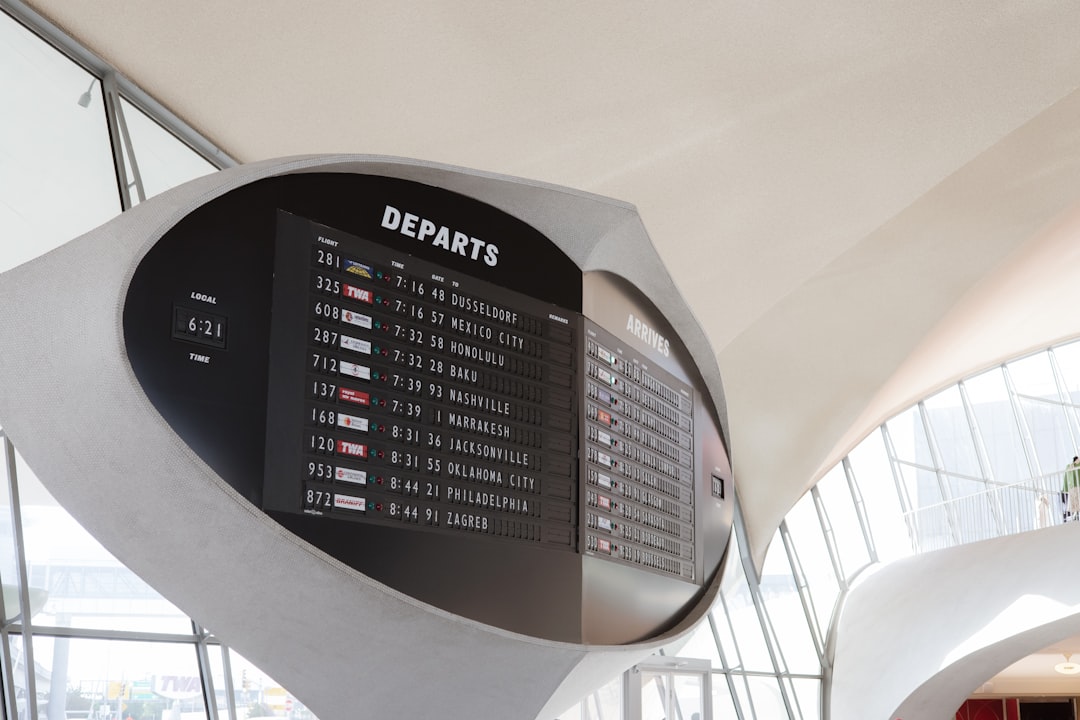
Floor-level signage should handle wayfinding without requiring staff assistance. Clear directional signage at floor entry points, zone labelling for desk areas, and meeting room identification panels outside each room reduce front-desk queries and improve the member experience. For co-working spaces, e-paper room panels (Joan, Evoko) work well because they are clean, low-maintenance, and do not require power cabling to every meeting room door.
Community and communications screens
Dedicated screens in common areas (kitchen, breakout areas, event spaces) can carry community-oriented content: upcoming events, member spotlights, new member introductions, local recommendations, and partnership offers. This content is valuable to regular members and builds the community feel that differentiates quality co-working spaces from generic desk rental. Keep this content separate from wayfinding – a member trying to find Meeting Room B does not want to wait through a community news cycle.
Integration with space management platforms
The highest-value digital signage integration for co-working operators is with the space management system. Platforms like Nexudus, OfficeRnD, Coworks, and Essensys manage room bookings, desk reservations, and member profiles. Connecting this data to your signage platform enables:
- Real-time meeting room availability on entrance and floor screens
- Automated room panel display of booking information from the space management system
- Personalised welcome messages for members or guests checking in via the app
- Dynamic availability messaging for underbooked time slots (“3 meeting rooms available this afternoon”)
The integration method varies: most signage platforms support data feed connections via REST API or URL-based data widgets. Check whether your space management platform provides a public API or a signage-specific data export before selecting your signage platform.
Platform recommendations for co-working
| Platform | Co-working fit | Space management integration | Multi-zone support |
|---|---|---|---|
| TDM Signage | Strong – clean CMS, API data feeds | Via API | Yes |
| ScreenCloud | Strong – apps marketplace, easy content | Via apps/webhooks | Yes |
| Yodeck | Good – strong value, simple setup | Via RSS/HTML/widgets | Yes |
| OptiSigns | Good – budget-friendly, easy templates | Via widgets/API | Yes |
| Appspace | Suitable for large managed workspace networks | Extensive integrations | Yes |
TDM Signage works well for co-working operators that need a reliable, professionally-supported European platform. Its API data feed capability supports integration with most space management platforms, and its multi-zone template editor handles the different content requirements (wayfinding + community + availability) on a single screen without requiring design expertise. Check tdmsignage.com for current pricing and co-working-specific feature details.
Monetisation opportunities
Co-working operators have commercial incentives that corporate IT managers do not. Signage can contribute directly to revenue:
- Upsell available meeting rooms: When meeting rooms have gaps in the booking schedule, display availability prominently on common area screens with a booking CTA. Walk-in bookings from members who see available slots on-screen are high-margin revenue.
- Partner and sponsor advertising: Premium co-working spaces sell advertising slots to local businesses, insurance providers, professional services firms, and technology vendors targeting the member demographic. Signage platforms with scheduled content slots make it straightforward to run partner content for defined durations.
- Amenity promotion: Hot drinks, printing credits, virtual office services, and premium desk upgrades can all be promoted on common area screens at relevant times of day.
Hardware for co-working environments
Co-working spaces typically have higher aesthetic standards than corporate offices – members choose them partly for the environment, so hardware choices matter more visually. Recommendations:
- Commercial displays with slim bezels and non-branded front panels (avoid consumer TVs with prominent manufacturer logos)
- Floor stands for flexible repositioning as the space evolves, rather than permanent wall mounts where possible
- E-paper room panels for meeting room doors – cleaner aesthetic than LCD, no power cable required
- Video walls or large-format displays (86″+) for entrance and event spaces where visual impact matters
Bottom line
Digital signage for co-working spaces delivers operational value (reduced front-desk load, better member navigation), community value (events communication, member recognition), and commercial value (room availability upsell, partner advertising). The key to delivering all three is a platform with flexible multi-zone content scheduling and integration with your space management system. Start with the entrance screen and room availability data, then build out community and commercial content once the operational content is working. For platform comparison, see our best digital signage software guide. For room panel hardware, see the room booking systems comparison.