QR Codes and Digital Signage in Retail: How to Use Them Together (2026)
QR codes went from a pandemic-era workaround to a permanent fixture of the retail toolkit. In 2026, an estimated 102.6 million US smartphone users scanned a QR code at least once, up from 89 million in 2022, and more than 2 billion QR scans happen globally every day. Retail and eCommerce now has a 46% QR code adoption rate, and 40% of marketers say they deploy QR codes specifically on in-store digital displays. If your store already runs digital signage, the question isn’t whether to add QR codes, it’s how to do it without wasting screen space or annoying customers.
Quick verdict
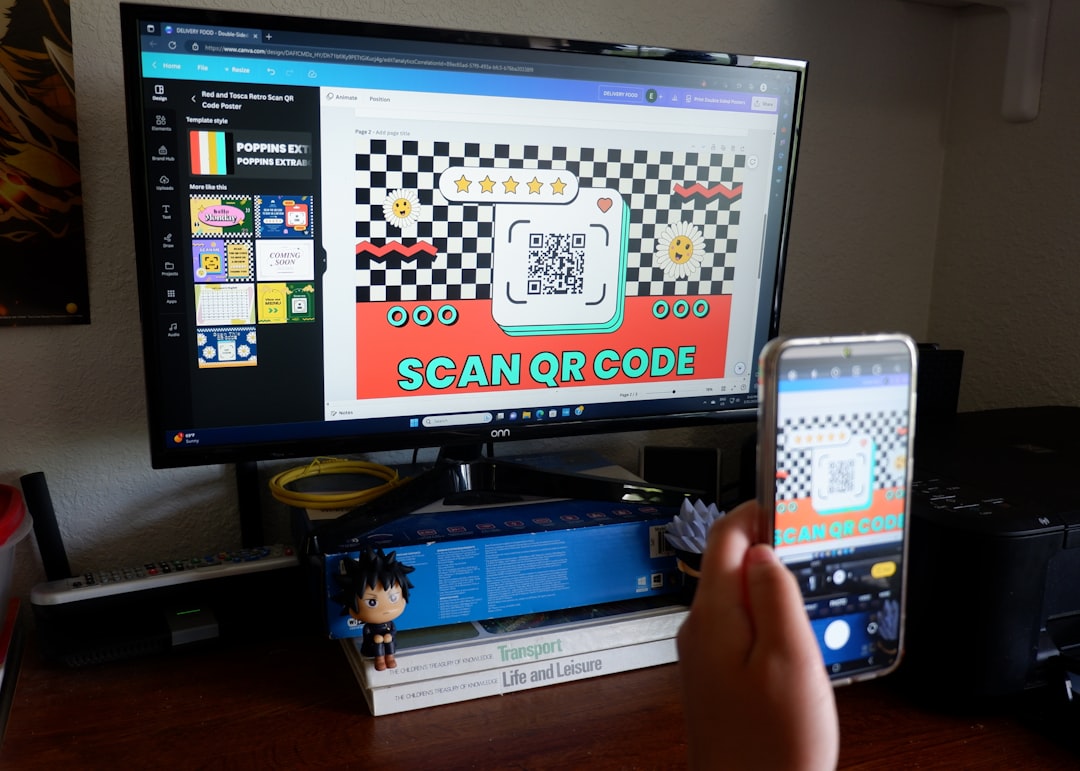
QR codes work well alongside digital signage when they replace a real friction point, checking stock, joining a loyalty program, grabbing a discount, not when they’re bolted onto every slide as a generic call to action. Use dynamic QR codes so you can change the destination without touching the screen content, size and test the code for the actual viewing distance and lighting in your store, and track scans so you can prove (or disprove) that a given screen placement is doing anything. Treat this as a measurement exercise as much as a design one.
Who this is for
- IT managers responsible for the digital signage network in one or more retail locations
- Facilities or store operations staff who choose what content goes on in-store screens
- Marketing-ops people building campaigns that need to connect a physical screen to a mobile action
- Anyone who has already deployed screens and now wants to make them measurably interactive rather than passive
Step 1: Use dynamic QR codes, not static ones
A static QR code has its destination URL baked in permanently. Once it’s on a screen, in a print asset, or on a window decal, that destination can’t change. A dynamic QR code points to a short redirect URL that you control, so you can update where it sends people at any time, without touching the signage playlist or reprinting anything.
This matters more for signage than for print. A screen’s content changes constantly, campaigns rotate, promotions expire, seasonal messaging swaps in and out. If the QR code is static and tied to last quarter’s promotion, you either leave a dead link live or have to rebuild the screen asset from scratch. Dynamic codes reportedly generate roughly 36x more scans per code in campaign use, largely because the same physical code can be reused and redirected across multiple campaigns instead of being retired after one run. For a signage network, that’s the difference between managing one QR asset per screen long-term and managing dozens.
Most QR generation platforms, and most modern digital signage CMS platforms, including TDM Signage, support embedding or overlaying a dynamic QR code onto scheduled content, so the code itself can stay fixed on-screen while its destination is managed centrally. Confirm this capability with your own vendor before assuming it, since implementation details vary.
Step 2: Size and place the code for screen viewing distance, not print
A QR code sized for a business card or a flyer is meant to be scanned from a few inches away. A code on a digital signage screen is typically scanned from 3 to 6 feet away, sometimes further in a wide-aisle retail environment. That distance changes the sizing and contrast requirements considerably: a code that would work fine printed on an A4 sheet can be functionally unscannable at the same physical size on a screen viewed from across an aisle.
Practical guidance:
- Make the code noticeably larger than feels necessary when you’re testing it up close at your desk. Test from the actual distance customers will stand.
- Use high contrast, dark code on a light background or vice versa, and avoid placing it over a busy image or gradient.
- Leave a clear quiet zone (blank margin) around the code so overlaid text or graphics don’t interfere with a phone camera’s ability to lock onto it.
- If the screen also shows other rotating content, keep the QR code on-screen long enough for someone to actually stop, aim, and scan, not for two seconds in a fast slide rotation.
Step 3: Test scan reliability under real store lighting
A QR code that scans perfectly in a quiet office, on a laptop screen, under even lighting, can fail completely under a store’s actual conditions. Glare from overhead lighting, direct sunlight through a storefront window, screen brightness set too low or too high for ambient conditions, and reflections off glass or acrylic screen protectors all reduce scan reliability in ways that don’t show up in a desk test.
Before rolling a QR-enabled screen out across multiple locations, test it in the actual store, at different times of day, with a few different phone models and both iOS and Android camera apps. Scan-rate performance varies a lot by context: restaurant table cards see the highest scan rates at around 72%, likely because the viewing distance is short and the environment is controlled. Product packaging sits around 38%, direct mail around 26%, and general outdoor signage around 18%. Those figures aren’t specific to digital signage screens, but they make the underlying point clearly: context, distance, and environment drive scan rates far more than the code itself. A screen positioned in bright, glare-heavy light near an entrance will underperform a screen in a shaded, slower-traffic zone even with an identical QR code.
Step 4: Pick use cases where a scan actually adds value
QR-code fatigue is real. Putting a code on every screen and every slide by default trains customers to ignore all of them. Reserve QR codes for moments where scanning solves a genuine problem the screen can’t solve on its own. Strong retail use cases include:
- Stock and size checks: “Scan to check availability in your size” or “scan for stock at nearby stores” next to a product display, saving a trip to the counter
- Loyalty signup: linking a screen showing a product or promotion directly to an app-based loyalty program signup, capturing interest at the moment of attention
- Discounts tied to a specific display: a promotional or discount code delivered via scan, tied to that particular in-store display or window, which also lets you measure which physical location drove the redemption
- Limited drops and events: a QR code active only during a specific window, tied to the dwell time or foot traffic pattern near a particular screen, useful for flash promotions or event announcements
- Post-purchase feedback: a short review or feedback micro-survey linked from a screen near checkout, capturing sentiment while the experience is fresh
If you can’t articulate what specific friction the scan removes, skip it on that slide.
Step 5: Track scans and tie them back to signage ROI
None of the above matters if you can’t measure it. Use your QR platform’s built-in analytics, or append UTM parameters to the destination URL, so each code’s performance is attributable to the specific screen and campaign it was tied to. At minimum, track total scans, scan-to-conversion rate for anything tied to a discount or purchase, and time-of-day or dwell-pattern correlation if your signage platform reports foot traffic or engagement data.
This data is what turns a QR code from a nice-to-have into a defensible line item. When you’re building the broader business case for a signage rollout or expansion, scan data is one of the more concrete, screen-specific engagement metrics available, and it pairs well with the kind of financial framework covered in Digital Signage ROI: How to Justify the Investment to Your CFO.
Bottom line
QR codes and digital signage are a genuinely useful combination in retail, but only when the code earns its place on the screen. Use dynamic codes so campaigns can change without reprinting or rebuilding content, size and test for real viewing distance and lighting rather than desk conditions, and limit codes to moments that solve an actual customer problem: stock checks, loyalty signup, a discount, a quick feedback ask. Track every scan so the placement decision is backed by data rather than a guess.
If you’re still setting up the underlying screen network, start with How to Set Up Digital Signage for a Retail Store, and if you’re managing more than one location, Digital Signage for Retail Chains: Multi-Site Management Guide covers how to keep QR campaigns and content consistent across locations without manually updating every screen.