Digital Signage for Higher Education: A Campus IT Guide 2026
Digital signage for higher education spans a range of use cases that few other sectors combine in a single deployment: wayfinding for thousands of students and visitors across a multi-building campus, real-time lecture timetable changes, emergency mass notification, student society and events promotion, and compliance-required safety communications. University and college IT teams face this breadth with typically constrained budgets and a diverse stakeholder landscape spanning academic departments, student services, estates, and security. This guide covers what works.

Quick verdict
Higher education signage works best when deployed with a clear content governance model from day one. The most common failure mode is not technical – it is departments uploading their own content in inconsistent formats, creating cluttered screens that no-one reads. A centrally managed platform with a template system and delegated department access (allowing departments to populate defined content zones without controlling the full screen) is the architecture that scales across a multi-building campus.
Core use cases for campus digital signage
Wayfinding and campus navigation
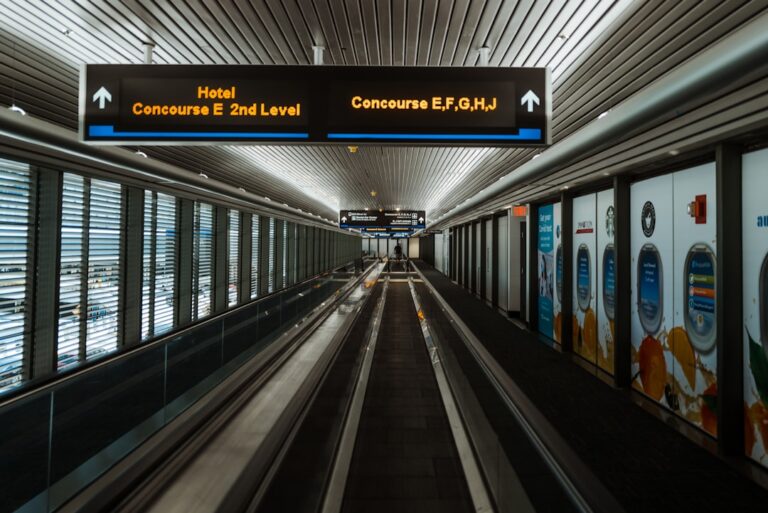
Campus wayfinding is the highest-volume use case for student-facing signage. New students, visitors, prospective applicants, conference delegates, and delivery personnel all need navigation assistance. Effective campus wayfinding requires screens at every building entrance with floor maps and department directories, plus directional signage at decision points across the campus.
For multi-building campuses, interactive kiosk touchscreens at main entry points and in central campus spaces allow detailed navigation queries (finding a specific lecture room, locating a staff office, identifying facilities). Passive screens at building entrances and corridor junctions handle the majority of wayfinding load without requiring touchscreen units at every point.
Lecture and room timetables
Real-time timetable data from the student information system (SIS) is the highest-value integration for campus signage. When lecture timetables, room changes, and cancellations display automatically on screens outside lecture theatres and in department buildings, the phone and front-desk load from student enquiries drops significantly. Most university SIS platforms (Banner, Unit-e, Scientia, Quercus) expose timetable data via API or export; signage platforms with API data feed capability can pull this directly.
Key data to display: today’s schedule for the room or department, upcoming bookings for the next 2-4 hours, room change alerts, and cancellation notices. The content should prioritise information that is relevant to a student arriving in the next 5-15 minutes – not the full week’s schedule.
Emergency mass notification
Campus emergency notification via digital signage is required in most US and Canadian universities under Clery Act compliance, and is becoming standard practice in UK and EU higher education under business continuity and duty-of-care frameworks. The signage platform must support priority interruption: the ability to push emergency content to all screens simultaneously, overriding all scheduled content, within 60 seconds of a trigger.
Emergency notification content requirements: clear, high-contrast design (red background, white text minimum), brief actionable message (what to do, where to go), auto-cycling every 15-30 seconds, and automatic expiry when the emergency ends. The trigger mechanism should be accessible to security operations centre staff and senior campus administrators, not just IT.
Events and student communications
Student society events, careers fairs, research seminars, sports fixtures, and university communications all compete for screen time alongside operational content. The key governance question is who controls this content and how competing requests are prioritised. Options:
- Centralised scheduling: All event content requests go through a central team (student services or IT) who schedule them. Ensures quality and balance but creates a bottleneck for a high-volume events calendar.
- Delegated zone access: Departments and student services each have access to specific content zones on screens in their building or area. They can populate these zones independently within approved templates. The central team controls the overall screen layout and non-department zones.
- Automatic event feed: Events from the university’s event management system or intranet are pulled automatically into a designated screen zone, without manual content submission. This is the most scalable model for high-volume events calendars.
Emergency alert system requirements
For universities implementing or upgrading emergency mass notification via digital signage, the technical requirements are more demanding than standard signage:
- All-screen override capability, including screens in all buildings, within 60 seconds of trigger
- Redundant connectivity to ensure alerts reach screens even if the primary internet connection fails (4G backup on critical locations)
- Local content caching so emergency content can display without cloud connectivity if required
- Integration with existing mass notification systems (Everbridge, Rave Mobile Safety, or similar) so a single alert trigger reaches screens, SMS, email, and app simultaneously
- Documented test schedule with records for compliance and insurance purposes
Platform selection criteria for higher education
| Requirement | Why it matters for HE | What to verify |
|---|---|---|
| Emergency override | Mass notification compliance | Override time, all-screen coverage, redundancy |
| API data integration | Timetable and room booking data | REST API, webhook, or native SIS integration |
| Delegated content permissions | Department and student services access | Role-based zones, approval workflows |
| Multi-building scalability | Campus-wide deployment management | Location groups, bulk management, remote monitoring |
| GDPR and data residency | Student data handling obligations | EU data residency, DPIA support |
| Education pricing/procurement | Budget constraints, OJEU/framework procurement | Named education pricing, framework availability |
TDM Signage is deployed in several European university and college environments. Its European data residency is relevant for UK and EU institutions with student data handling obligations, and its delegated content access model – allowing department staff to manage specific zones without IT involvement – reduces the operational burden on central IT teams. Check tdmsignage.com for education-specific pricing and case studies.
Budget justification for campus signage
Higher education IT teams face tighter procurement scrutiny than corporate IT. The business case for campus signage typically covers three areas:
- Operational cost reduction: Reduced front-desk and phone enquiries for timetable information, room locations, and event details. Quantifiable if current enquiry volume is tracked.
- Student experience and retention: Clear wayfinding and real-time information reduces new student frustration, particularly in the critical first weeks. UK university league table metrics include student satisfaction scores where operational friction has documented impact.
- Safety and compliance: Emergency notification capability supports duty-of-care obligations and reduces liability exposure. Particularly relevant for US Clery Act compliance and UK higher education sector safety frameworks.
Phased deployment approach
For constrained budgets, a phased approach delivers value quickly without requiring full campus commitment upfront:
- Phase 1 – Priority buildings: Deploy in the central student union, main library, and highest-footfall teaching buildings. Validate the platform, content governance model, and timetable integration before expanding.
- Phase 2 – Department buildings: Roll out to department buildings with delegated content access. Involve department administrators in content governance to build ownership.
- Phase 3 – Campus-wide: Extend to all buildings, including outdoor-rated units for covered walkways and campus paths as budget allows.
Bottom line
Digital signage for higher education delivers clear operational value when the content governance model is established before the hardware is installed. The technical requirements – timetable API integration, emergency override, delegated department access – are all solvable with the right platform. The failure mode is organisational: screens that become cluttered with inconsistent content because governance was an afterthought. Plan the content model first, then deploy the hardware. For related reading, see our guides on wayfinding screen setup and digital signage security.