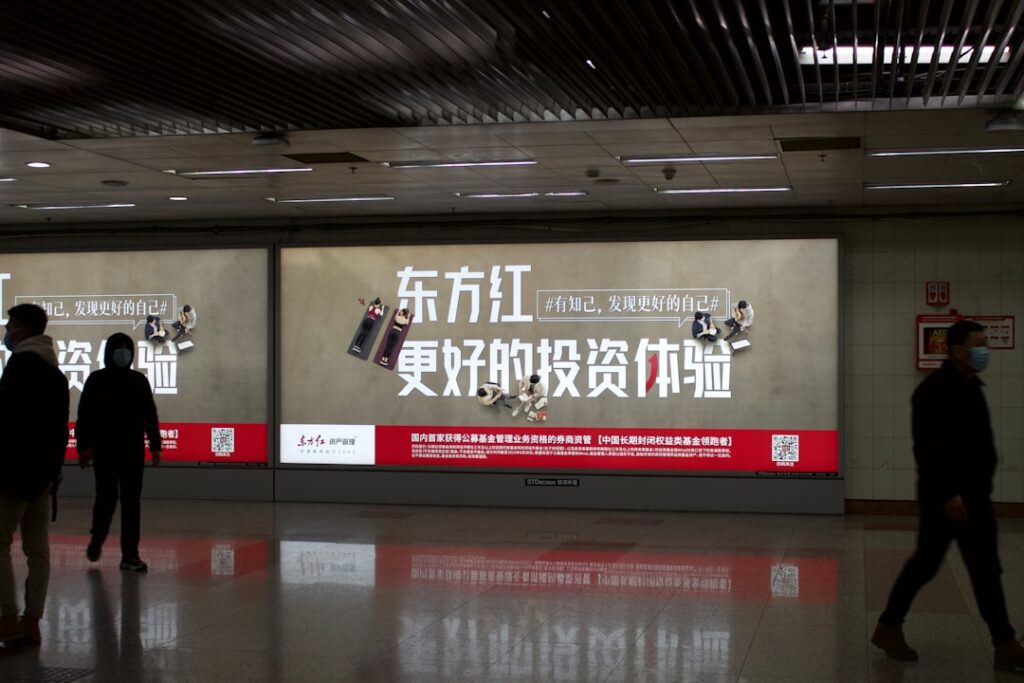
Digital Signage for Schools and Universities: The IT Guide 2026
Digital signage for education has different requirements from corporate deployments: tighter budgets, student data protection obligations, accessibility compliance for public bodies, and content that serves a diverse audience from students to visitors. This guide covers the practical decisions, use cases, platform selection, compliance, and hardware, for IT managers deploying signage across educational institutions.

Quick verdict
Education digital signage delivers genuine value across wayfinding, event communications, emergency alerts, and student experience. Budget-conscious platforms (Rise Vision free tier, Yodeck, TDM Signage) cover most school and university use cases without the enterprise price tag. Public sector compliance (GDPR, accessibility, safeguarding) requires specific configuration choices regardless of which platform you choose.
Use cases in educational settings
Campus wayfinding
Large campuses, multi-building schools, and universities benefit significantly from digital wayfinding. Screens at entrances, reception areas, and key junctions direct students and visitors to rooms, events, and departments. Unlike printed signage, digital wayfinding can be updated centrally when room assignments change, a weekly occurrence in most educational settings.
Event and timetable information
Digital screens showing the day’s events, lecture timetables, room changes, and cancellations reduce the volume of emails and app notifications students need to process. Reception screens, corridor displays near lecture theatres, and café areas are the most effective locations for this content.
Emergency communications
Schools and universities have specific emergency communication obligations. Digital signage emergency override, the ability to push a fire, lockdown, or evacuation instruction to all screens instantly, is a high-value capability. It supplements (not replaces) fire alarm systems and should be included in fire risk assessments and emergency procedures documentation.
Student wellbeing and services
Mental health support signage, student services information, and wellbeing campaigns reach students in communal areas without requiring them to opt in to notifications. Research shows passive informational displays in high-footfall areas increase awareness of available services.
Staff communications
Staff areas (common rooms, admin offices) can run separate content streams from student-facing screens, HR updates, professional development events, and operational information visible only to staff.
Compliance requirements for educational institutions
GDPR and student data
Student names, photographs, and personal information must not appear on screens visible to the public or to other students without explicit consent. This affects:
- Student achievement displays (names on leaderboards or award screens), require consent
- Student photo content, require consent and must consider safeguarding obligations for under-18s
- Timetable or attendance data, must be anonymised or restricted to staff-only screens
For state schools and universities in the UK, the ICO’s guidance on data protection in education applies. The GDPR lawful basis for most internal communications signage is legitimate interest, document this in your data processing register.
Public sector accessibility (PSBAR)
State schools, academies, and universities fall under the Public Sector Bodies Accessibility Regulations 2018 (PSBAR), requiring WCAG 2.1 AA compliance for publicly accessible digital content. For digital signage this means: sufficient colour contrast, text large enough to read at viewing distance, and no content that relies solely on colour to convey information. See our digital signage accessibility guide for the full checklist.
Safeguarding
Any digital signage platform in a school must be assessed for safeguarding risk. Specifically: can the content management system be accessed from outside the school network? Are user accounts protected with strong authentication? Could content showing student information be accessed by unauthorised parties? These questions should be part of your information governance and safeguarding risk assessment.
Platform recommendations for education
Rise Vision (free tier available)
Rise Vision has a specific education focus with a permanently free tier for schools (1 screen, unlimited templates) and discounted pricing for multi-screen educational deployments. The template library includes education-specific designs. Widely used in US and UK schools. Check risevision.com for current education pricing.
Yodeck
Yodeck’s free tier (1 screen, full features) and competitive paid pricing ($8/screen/month) make it cost-effective for schools with limited budgets. Raspberry Pi hardware is affordable for education IT departments. The Google Workspace integration is useful for schools running Chromebooks and Google Calendar for timetabling.
TDM Signage
TDM Signage is a strong option for European educational institutions, EU-hosted (Netherlands) which simplifies GDPR data residency requirements, and the platform integrates well with Microsoft 365 for schools using Teams and SharePoint. The Essential plan (€14/screen/month) covers most school use cases. Education discount enquiries can be directed to tdmsignage.com.
Xibo (self-hosted)
For universities with IT resources to manage self-hosted infrastructure, Xibo’s open-source self-hosted version is free. The hosted cloud version starts at $4.90/screen/month. Self-hosted gives full data sovereignty, no third-party cloud involved, which simplifies GDPR and data protection assessments for institutions that prefer on-premises data control.
Hardware recommendations for educational environments
- Commercial displays, not consumer TVs, educational environments are high-use; commercial displays rated for 16/7 operation last significantly longer than consumer TVs run continuously
- Vandal-resistant mounts in student corridors, standard wall mounts are not designed for physical contact; use vandal-resistant mounts in corridors and public areas
- Raspberry Pi players for budget deployments, Pi 4 or Pi 5 players are affordable, manageable, and work well with Yodeck and Xibo in education environments
- Lock the player OS, configure players to boot directly to signage mode; students should not be able to access the underlying operating system
Content governance for education
Schools and universities need a clear content governance process. The minimum framework:
- Named content editor per department or site, one person responsible for screen content in their area
- Content approval for student-facing screens, a communications or marketing lead reviews content before it goes live
- Automatic expiry dates on all time-limited content, events, deadlines, and announcements must expire when they’re no longer relevant
- Emergency communication authorisation, clearly defined who can push an emergency override and how
Bottom line
Digital signage in education delivers real value for wayfinding, communications, and emergency alerts. The compliance requirements (GDPR, PSBAR, safeguarding) add steps to the deployment process but are entirely manageable with correct configuration. Budget-focused institutions should evaluate Rise Vision’s education tier and Yodeck’s free plan first. For Microsoft 365 schools, TDM Signage’s M365 integration offers significant operational value. For the platform shortlist, see our best digital signage software comparison.