Skedda Review 2026: Space Booking Without the Complexity
The Skedda review most IT and facilities managers want is a straight answer to one question: is this visual floor plan approach to space booking actually better in practice, or just better in screenshots? After working through the platform in detail, the answer is that the floor plan model is genuinely more intuitive for employees than list-based alternatives – and that Skedda’s configuration simplicity is a real differentiator for organisations that do not want a six-week implementation project.
Quick verdict
Skedda is the right platform for organisations that want clean, self-service space booking that non-technical employees will actually use – and that IT teams can configure without a professional services engagement. Its floor plan model reduces the “which room is this?” friction that kills adoption in list-based systems. It is not the right choice for organisations that need deep integration with physical room panels, complex enterprise compliance workflows, or advanced workplace analytics. For those use cases, Robin, Condeco, or Microsoft Places offer more depth.
What Skedda actually is
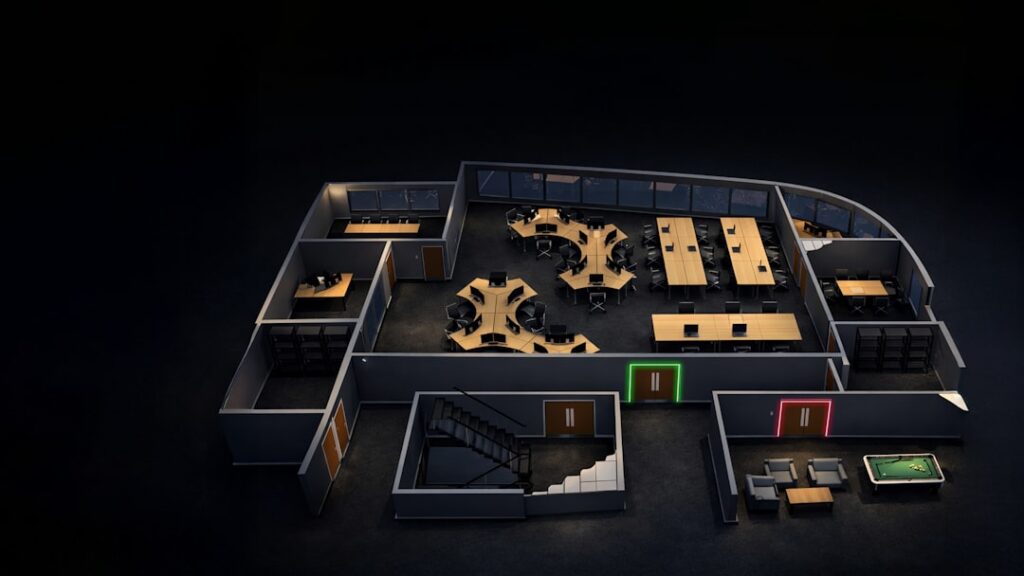
Skedda is a cloud-based space management platform built around an interactive, visual floor plan. Employees see a map of the floor or building, click on a desk or room to check availability, and book it – without navigating lists of room names or consulting a separate calendar. The platform manages rooms, desks, parking bays, sports courts, event spaces, and any other bookable resource using the same map-based interface.
Skedda started as a sports facility booking system (tennis courts, squash courts) and expanded into workplace space management. This origin is visible in the platform’s flexibility – it handles non-rectangular, custom-layout spaces better than most workplace-first platforms, which assume a standard office floor plate.
Floor plan booking experience
The floor plan interface is Skedda’s primary differentiator. Uploading a floor plan image (PNG, SVG, or PDF) and mapping bookable zones onto it takes 30-60 minutes for a typical office floor. Once configured, employees see real-time availability overlaid on the map – desks shaded green for available, red for booked, with colour coding configurable by zone or resource type.
Clicking a desk or room opens a booking panel showing availability across the day, existing bookings, and a simple form for the booking itself. The booking confirmation appears on the map immediately. For employees who have struggled with list-based room booking systems, the visual model typically reduces the time to complete a booking from 2-3 minutes to under 30 seconds.
The Skedda mobile app mirrors the floor plan experience on iOS and Android. Mobile booking is particularly relevant for hot desk deployments where employees are booking on the move before or on arrival at the office.
Calendar and platform integration
Skedda integrates with Microsoft 365 (Exchange/Outlook) and Google Workspace for two-way calendar sync. Room and desk bookings made in Skedda appear in the user’s calendar; bookings made in Outlook or Google Calendar for a resource registered in Skedda sync back to the Skedda map. The integration setup is configuration-based and does not require developer involvement for standard deployments.
Skedda also integrates with Slack for booking notifications and with SSO providers (Azure AD, Okta, Google) for user authentication. Directory sync (automatically provisioning users from Azure AD or Google Workspace) is available on higher subscription tiers, which significantly reduces user management overhead in deployments of 100+ employees.
One notable absence is a native physical room panel integration. Skedda does not have a dedicated room panel hardware product, and integration with third-party panels (Joan, Evoko, Logitech Tap Scheduler) is not direct – it works through the calendar integration layer rather than via a native API. For organisations where a physical panel outside each meeting room is a firm requirement, this is a meaningful gap.
Configuration and admin
Skedda’s admin experience is one of its genuine strengths relative to enterprise-complexity platforms. Setting up a new space, configuring booking rules (advance booking limits, maximum duration, approval workflows), and managing user groups is done through a clean web interface without requiring a consultant or a training course. A technically competent facilities or IT administrator can configure a standard deployment in a day.
Booking rules are flexible: you can configure different rules for different resource types (e.g. meeting rooms require manager approval, hot desks do not), set check-in requirements to auto-release no-show bookings, and create custom booking forms to collect information relevant to the resource (catering requirements for meeting rooms, vehicle registration for parking bays).
Pricing
Skedda uses a location-based pricing model: pricing is per venue (physical location) rather than per user or per desk. This is cost-effective for smaller offices but scales differently from per-user models in large deployments. A free tier is available for very small deployments with limited features. Paid plans start from a per-location monthly fee; check skedda.com/pricing for current rates by plan tier and region. Multi-location enterprise pricing is negotiated directly.
Skedda vs the alternatives
| Platform | Floor plan model | Room panel integration | Analytics depth | Implementation complexity |
|---|---|---|---|---|
| Skedda | Yes, core feature | Via calendar only | Basic utilisation reports | Low (self-service) |
| Robin | Yes, strong | Yes, native integrations | Strong workplace analytics | Medium |
| Condeco | Partial | Yes, Condeco panels | Enterprise-grade reporting | High |
| Microsoft Places | Via Teams/Outlook | Via Teams Rooms | Integrated with M365 analytics | Medium (M365 config) |
| OfficeRnD | Yes, strong | Via integrations | Good utilisation data | Medium |
Strengths
- Visual floor plan model is genuinely more intuitive than list-based alternatives for employees
- Low configuration complexity – deployable without a professional services engagement
- Flexible resource types – handles non-standard spaces (parking, courts, event spaces) alongside standard desks and rooms
- Per-location pricing is cost-effective for single-site organisations
- Strong mobile app experience
Weaknesses
- No native physical room panel product – panel integration works only via calendar layer
- Analytics are basic compared to Robin or enterprise platforms – limited occupancy sensor integration
- Per-location pricing scales less favourably for large multi-site deployments than per-seat models
- Less suited to complex enterprise governance requirements (multi-level approvals, compliance audit trails)
Bottom line
Skedda delivers on its core promise: a space booking system that employees actually want to use, configured by IT teams without a six-month project. The floor plan model is its strongest feature and a real competitive advantage in environments where adoption has been the failure mode of previous booking systems. For organisations with straightforward space booking needs and a self-service deployment model, it is one of the best options available. For related comparisons, see our best room booking systems guide and our Robin review.